Monday – Sunday: 24 Hours ServiceOpen 24/7 Book your computer repair by calling 0800 955 0071WHATSAPP US
Fix It Nerds BOOK A FREE DEVICE COLLECTION
Home
Services +
GamingNEW +
Custom PC +
Support +
Coverage Laptop Sales About Us Contact Us
BOOK A FREE DEVICE COLLECTION
Open now — 24/7 No Fix No Fee
Open now — 24/7 No Fix No Fee Not sure what's wrong? Call 0800 955 0071 — free diagnosis
Open now — 24/7 · No Fix No Fee Post it in, UK-wide · Sell your tech · Free gamepad tester · Call 0800 955 0071
Built & warrantied in Kings Cross Refurbished laptops · Not sure which build? Call 0800 955 0071
BUSINESS IT IT support for London businesses Day-to-day support, networks, servers, backup and security — one number to call. Business IT overview →
›Business Promotions ›Cabling ›Cloud Services ›Cloud Strategies ›Data Backup
›Disaster Recovery ›IT Audits ›IT Consultancy ›IT support ›NAS drives
›Network Security ›Networking ›Office Relocations ›Search Engine Marketing ›Search Engine Optimisation
›Server installation ›Server Monitoring ›Social Media Marketing ›Why our Business IT Support
All 19 support services → Need on-site help today? Call 0800 955 0071
Free tools / Joy-Con drift test

Joy-Con Drift Test

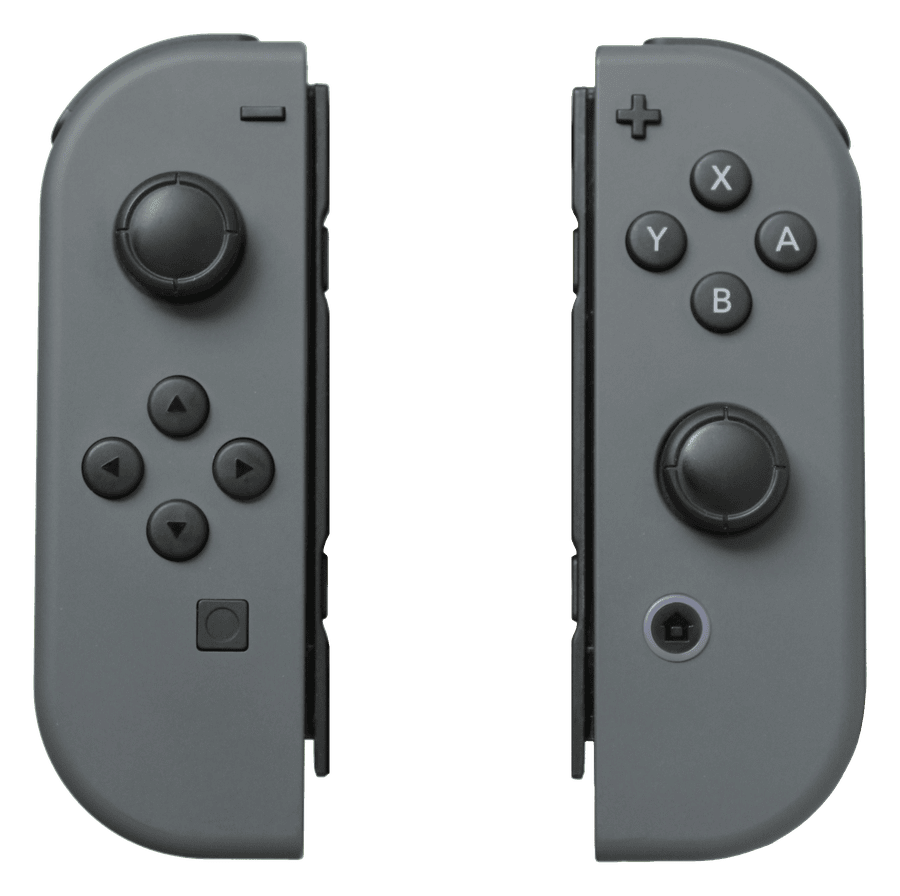
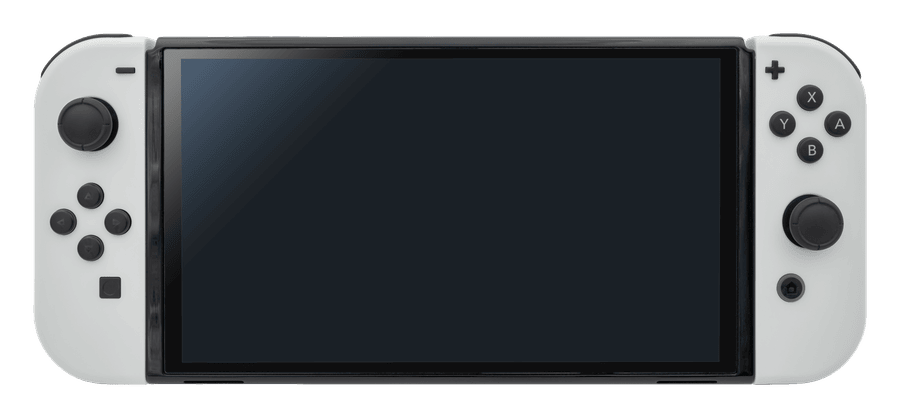
Pair a Joy-Con or a Switch Pro Controller with your computer and measure the stick at rest. Joy-Con drift shows up as a number, so you know whether it is dust or a worn module.

FreeRuns in your browserNothing uploaded
Waiting for a controller
Connect it by USB or Bluetooth, then press any button. The browser only shows a pad once a button has been pressed.

Joy-Con pair over Bluetooth only. Hold the small sync button on the rail until the lights run, then pair it in your computer settings and press any button. Each Joy-Con appears as its own pad. Everything runs locally in your browser and nothing is uploaded.

How to use the joy-con drift test

1

Pair the Joy-Con. Slide it off the console, hold the sync button on the rail until the player lights run back and forth, then pair it from your computer Bluetooth settings.

2

Press any button. The page shows the pad once a button has been pressed. Test one Joy-Con at a time, then the other.

3

Put it down and press Test for drift. The tester samples the stick for three seconds and reports its resting position as a percentage of full travel.

4

Roll the stick and repeat. Move the stick round its full edge, let it snap back and run the test again. A stick that settles somewhere new each time is wearing.

What the results mean

Under 5 per cent. Normal. If a game still drifts, recalibrate the stick in System Settings under Controllers and Sensors.

5 to 10 per cent. Early drift. A blast of compressed air under the rubber skirt sometimes clears dust from the track and buys time.

Over 10 per cent. The stick module is worn. Nintendo calibration hides it briefly. Replacing the module fixes it, and a TMR module means it does not come back.

Joy-Con will not pair. Try holding the sync button longer, or remove the Joy-Con from your computer and pair again. A Joy-Con that never pairs may have a rail or board fault.

Pro Controller drifts. Same cause, same fix. The Pro Controller uses a larger module that is also replaceable.

Joy-Con drift, and the fix that lasts

The Joy-Con stick reads position through a tiny carbon track that wears quickly, which is why drift is so common on the Switch. Cleaning and recalibration help for a while. Replacing the module fixes it, and fitting a magnetic TMR module removes the wearing part altogether, so the drift does not return. We do both at Kings Cross or by post. See the Joy-Con repair prices, and the Switch console repairs if the fault is on the console side.

Joy-Con drifting?

Stick modules replaced, with TMR drift-free sticks as an option, on Joy-Con and the Pro Controller. Kings Cross 24/7 or post it in.

Joy-Con repairs Book a Joy-Con repair
Open now, 24/7No Fix No Fee

Joy-Con drift test: your questions answered

Why do I have to pair the Joy-Con with a computer?−

The Switch does not run web pages, so the test has to run on a computer or phone that can pair a Bluetooth controller.

Can I test both Joy-Con at once?+

Pair both and each appears as a separate pad. The tester shows one at a time, so switch between them with a button press on the one you want.

Does this work on a phone?+

Android phones with Chrome can pair a Joy-Con and run the test. iPhones pair the Pro Controller and Joy-Con on recent iOS versions, but Safari exposes less data.

Will cleaning fix it?+

Sometimes, briefly. Dust on the track causes some drift, wear causes the rest. If the number comes back within weeks, the module is worn.

Is anything uploaded?+

No. Everything happens in your browser.

More free testers
Gamepad tester Stick drift test PS5 controller test Xbox controller test Joy-Con drift test Controller vibration test Keyboard tester All free tools Gaming hub All services
Joy-Con drifting?
Fixed the same day at Kings Cross, or post them in with a free DPD label.
Joy-Con repairs Call 0800 955 0071
© 2026 Fix It Nerds · Unit 2, 56 Tavistock Pl, London WC1H 9RG Call 0800 955 0071 · Monday – Sunday: 24 Hours Service Privacy Policy · Terms & Conditions · Cookie Policy · Delivery · Returns · Cookie preferences · Image credits · All services Fix It Nerds Limited · Company No. 17058257 · Registered in England & Wales · Registered office: 56 Tavistock Place, London WC1H 9RG